How it works
-
Step 1: Browse & Activate
Navigate to any news article or blog post. With the Debiasify extension installed, a discreet side tab is visible on every page. Whenever you need to verify if the content contains manipulative text or cognitive biases, simply click the tab to expand the analysis panel.

-
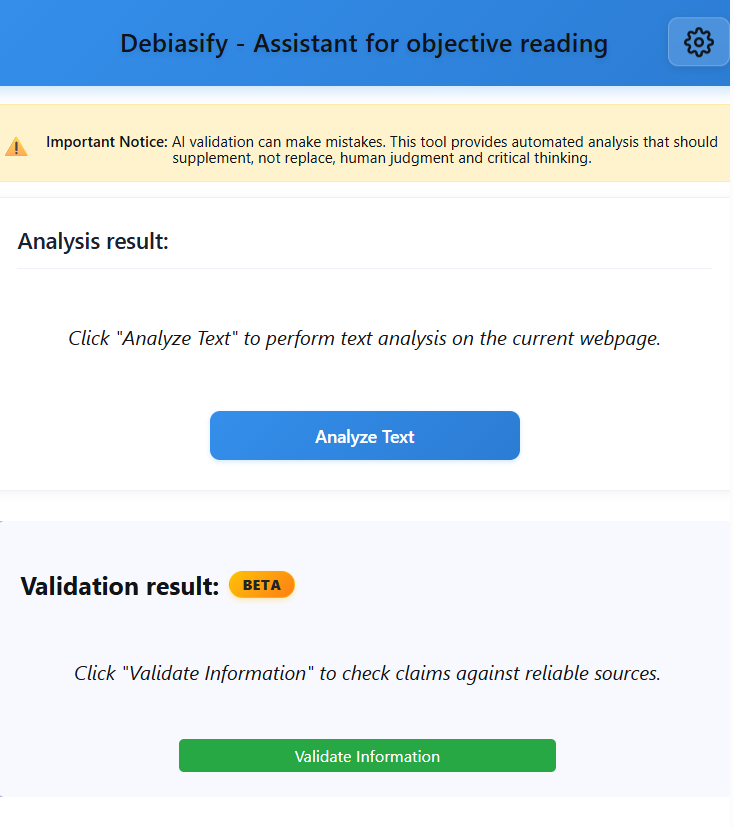
Step 2: Run AI Analysis
Click the "Analyze Text" button to initiate the scan. Our advanced AI engine processes the page content in real-time, parsing the text to identify logical fallacies, emotional manipulation, and cognitive biases.
-
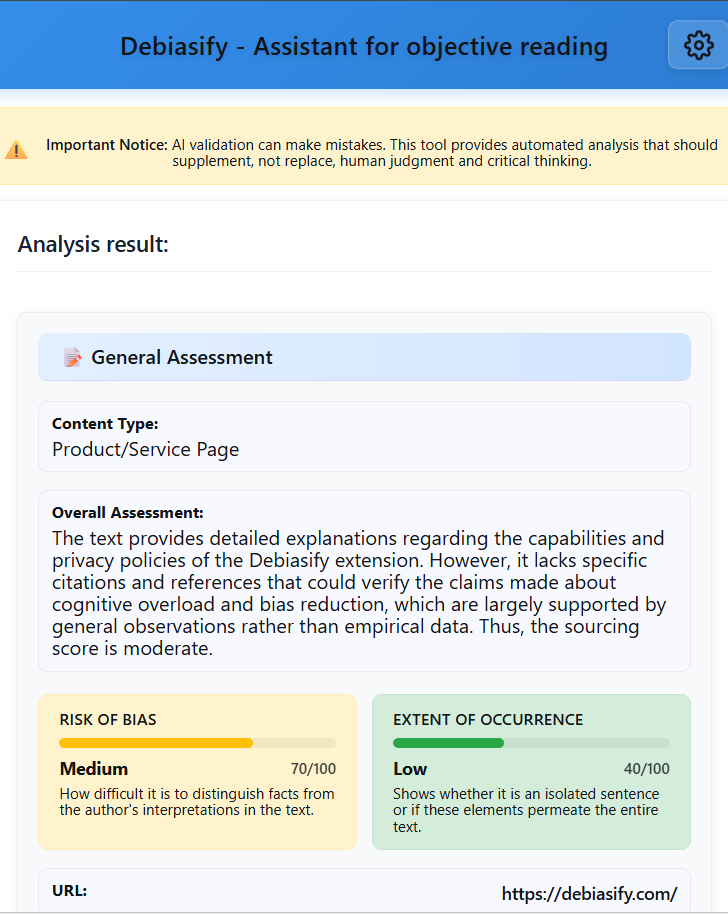
Step 3: Review Insights & Evaluate
Instant results appear in the side panel, highlighting specific text segments with potential bias. Read the AI's explanations to understand why a passage might be manipulative. Remember, Debiasify is a tool to support your critical thinking — always apply your own judgment to the final conclusion.
See Debiasify in Action
This short demo showcases the current BETA version of our proprietary disinformation-detection plugin. You will see how the system analyzes text, identifies potential misleading patterns, and provides context-aware explanations directly within the user interface.
The demo reflects the actual workflow and capabilities of the tool as used in our internal testing environment.